 Forefront
Class Documents
Documents and handouts attached to the class.
The Documents page collects the documents and handouts attached to a class’s curriculum — the reference material, worksheets, and family-facing handouts that come with the course — so you can open, download, and share them in one place.
How documents are organized
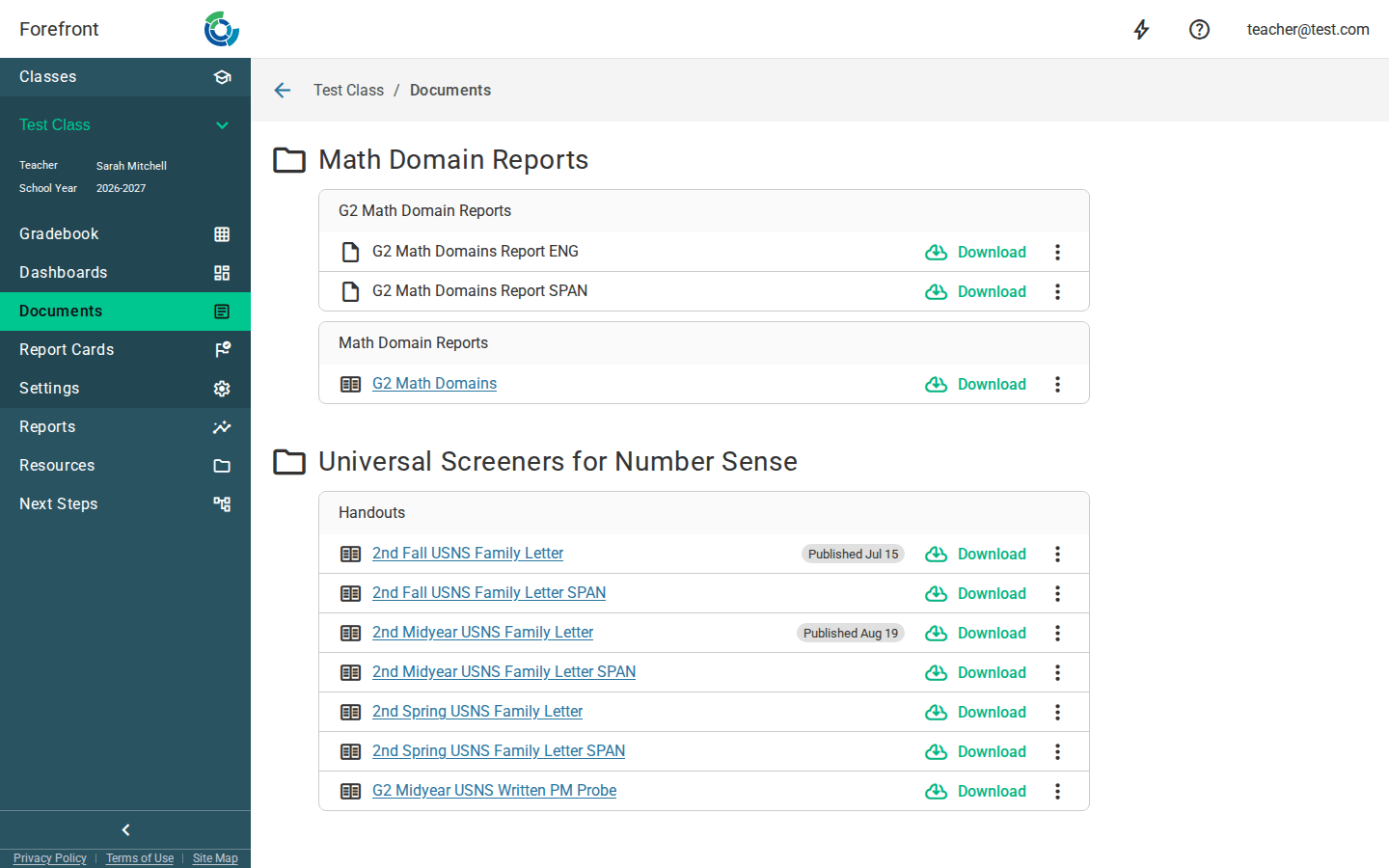
Documents are grouped into folders and, within each folder, into subfolders. The folder name comes from the curriculum’s program (shown with a 📁 folder icon), and each subfolder groups the documents by their part of the curriculum. Every item shows a file-type icon and its name so you can tell at a glance what it is.
Opening a document
Each row has a Download button, and its options menu (⋮) adds an Open action. Open takes you to the document in the resources area; Download starts a download. For handouts, the name itself is also a link you can click to open it directly.
Downloading
Click Download on any row (or Download in the row’s menu). Handouts and plain documents each open the appropriate download flow so you get the right version for this class and term.
Parent Portal (handouts)
If your district has the Parent Portal enabled, handout rows include a Parent Portal section in their options menu:
- Publish — makes the handout available to families in the Parent Portal. You’ll confirm first, and once published the row shows a Published chip with the date.
- Unpublish — removes a published handout from the Parent Portal. The Published chip disappears.
- Preview a student — opens a preview so you can see the handout the way a specific student’s family would see it.
These actions only appear for handouts, and only when the Parent Portal (Guardians) module is turned on for your district.
When there are no documents
If the class’s curriculum has no attached documents, the page shows a “No Documents Are Available” placeholder. If something goes wrong loading them, you’ll see “Error Loading Documents” instead — refresh the page to try again.
More about this page
- Downloading Printable Documents Without Word — unmerging the download, and the alternatives to Word.
- How to Access Printable Documents and Handouts
- Adding Printable Documents or Handouts to Courses — how a document gets attached to a curriculum in the first place.
- Handouts — the newer, non-Word way to produce the same kind of document.