 Forefront
Standard Analysis Report
This article explains what the Standard Analysis report is and how to use it in Forefront.
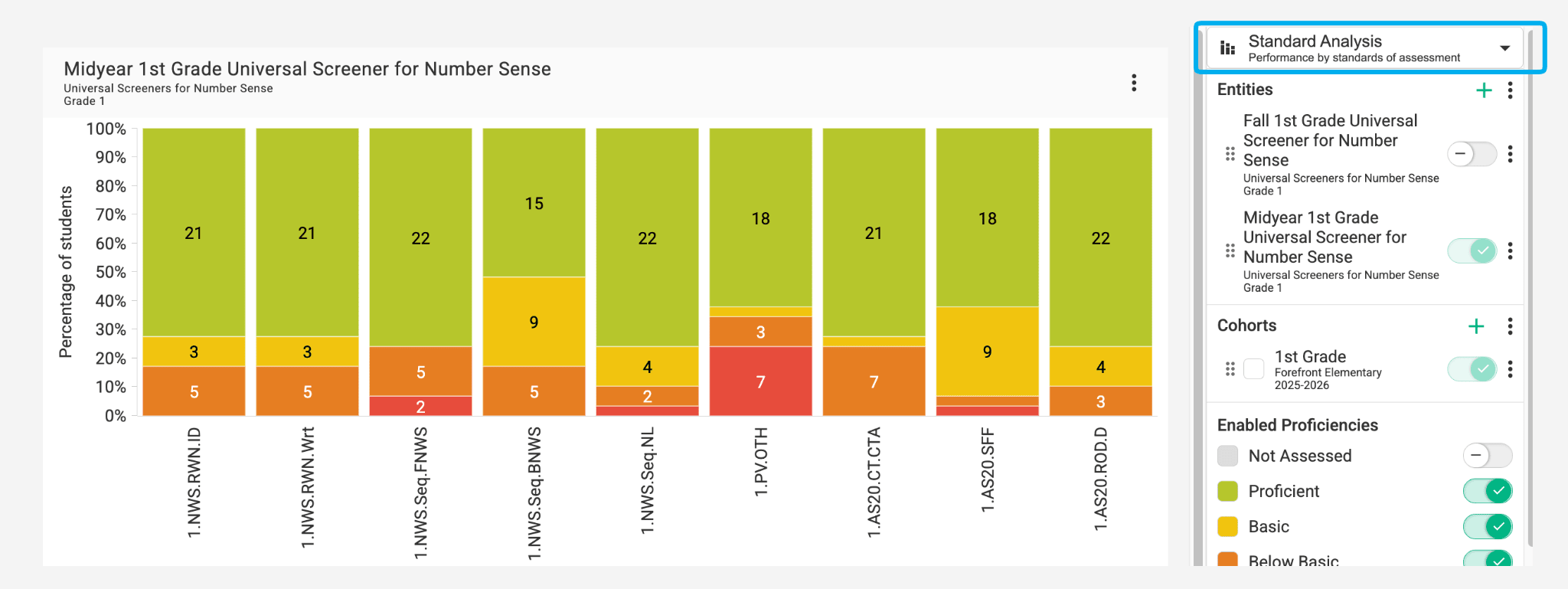
The Standard Analysis report shows student performance by individual standard. You can view standards from a specific assessment or unit, or select individual standards to focus on.
Use this report type to see how students are performing on specific standards and identify which ones need reteaching or reinforcement.
Report Usage Tip
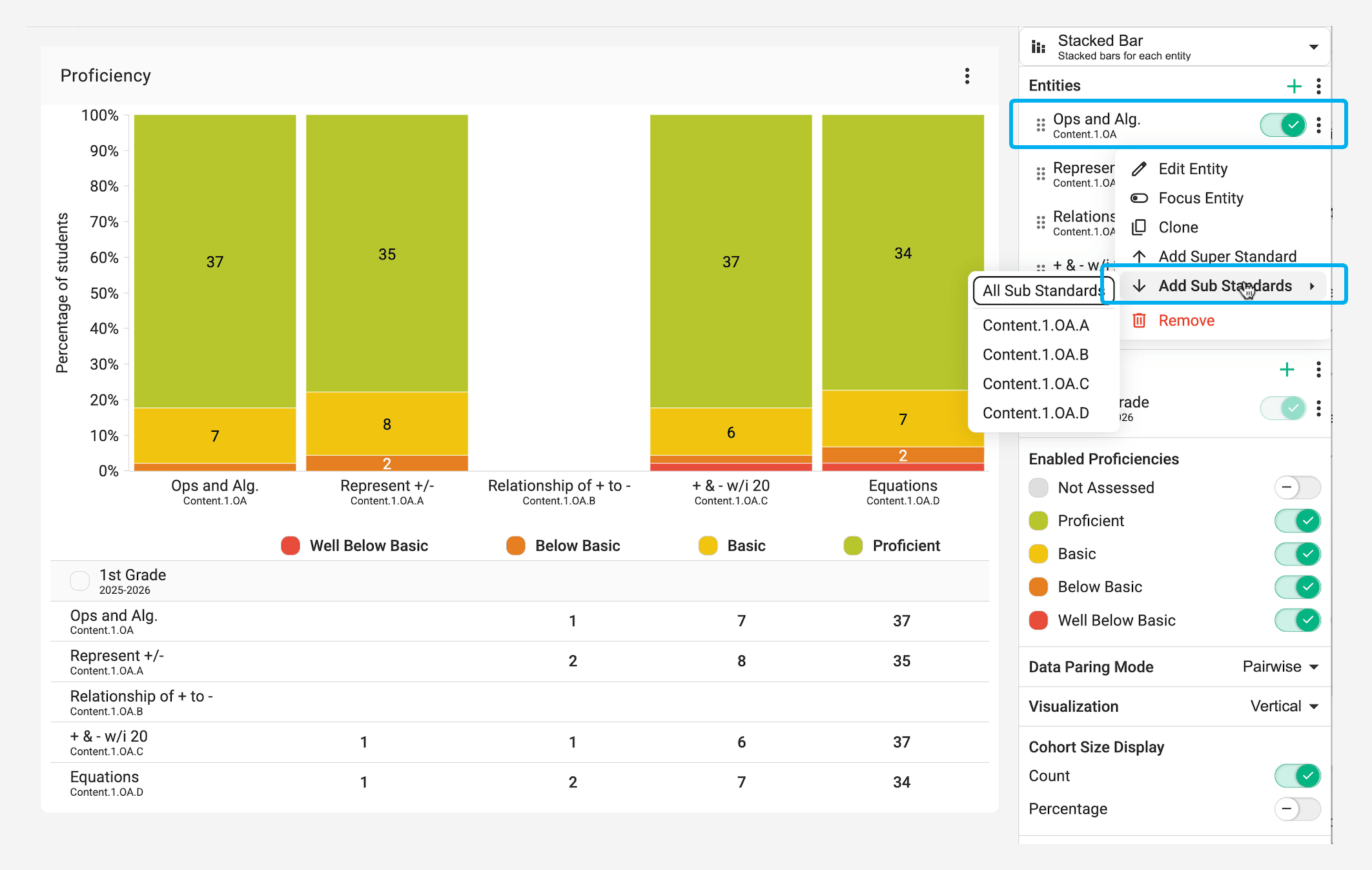
When the entity is a standard, right click on the standard to add sub standards.
Include Excluded Assessments
Some assessments are excluded from proficiency, for example a screener your district doesn’t want counting toward students’ standards scores. Excluded results don’t count toward standard proficiency, so they don’t appear in this report by default. If the report only contains excluded assessments, every student shows as Not Assessed.
To see those results anyway, turn on Include Excluded Assessments in the report settings, just above Enabled Standards. The report then counts excluded results alongside everything else, and the student lists, downloads and cohorts you create from the report include them too.
This setting only changes this report. Excluded results still don’t count toward proficiency in the gradebook, report cards or other reports. The setting is saved with the report, so anyone you share it with sees the same view.
For when to exclude an assessment in the first place, see When should I use “exclude proficiency” on an assessment?.