 Forefront
Saving and Sharing Reports
This article explains how to save and share reports.
How to Save Reports
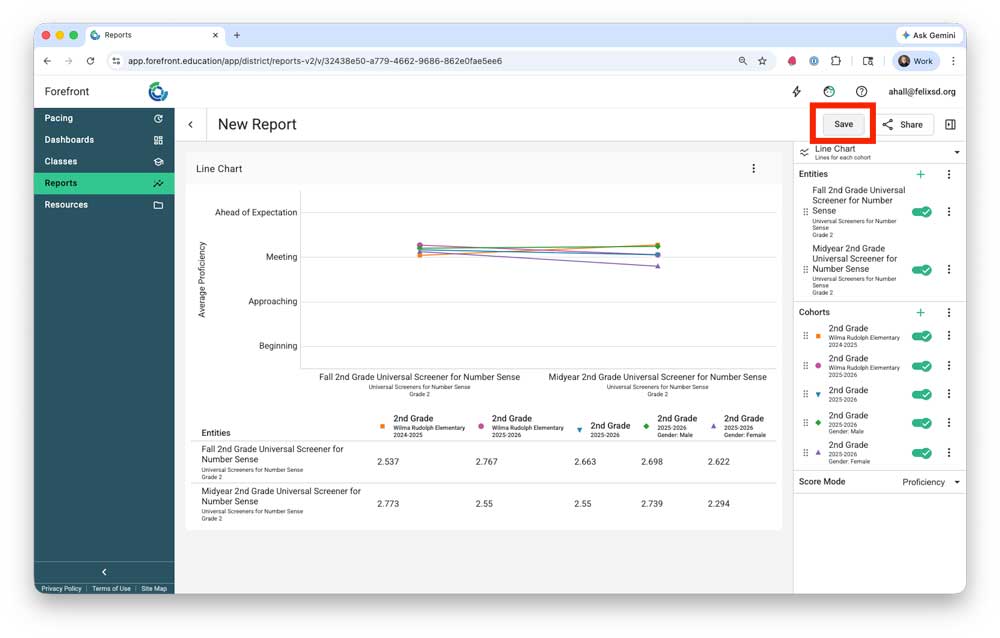
Step 1: In the Report, click “Save” in the upper right.
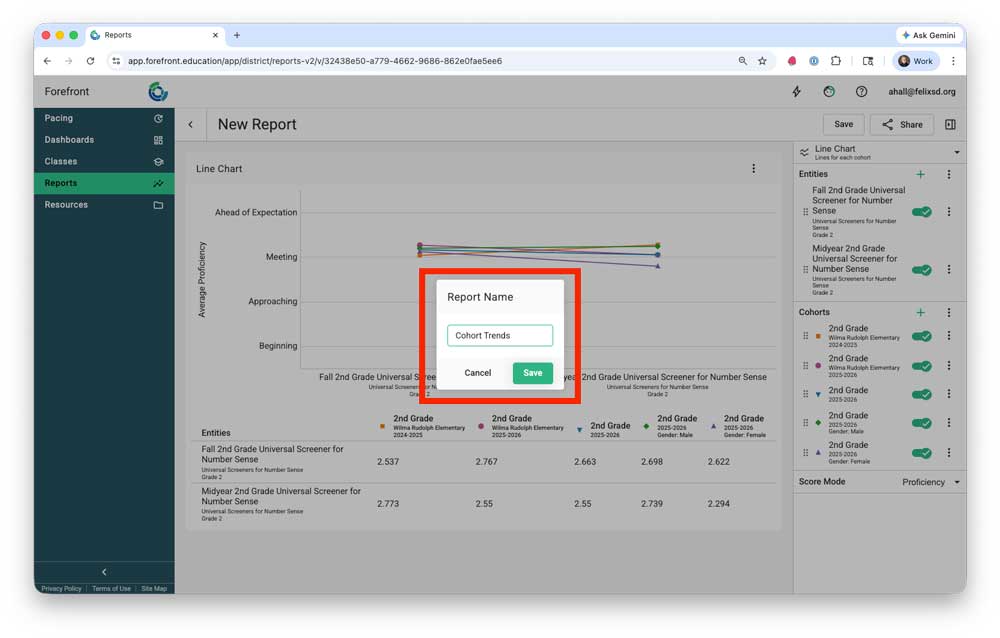
Step 2: Name the report.
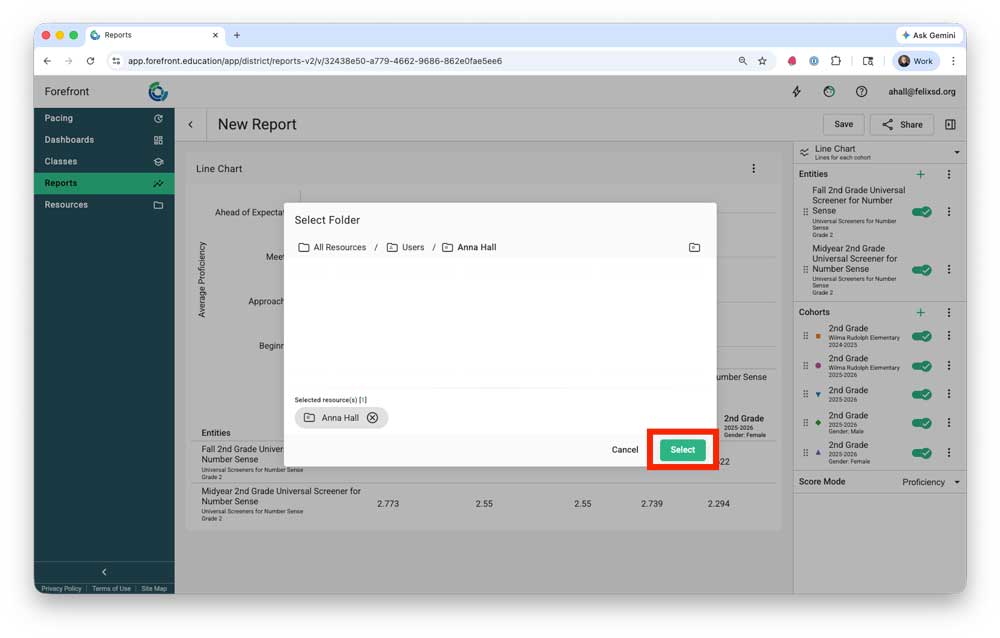
Step 3: Select the Resources location where the report should be saved. The default is the user folder. Use the breadcrumb trail to navigate to a different folder if needed.
How to Share Reports
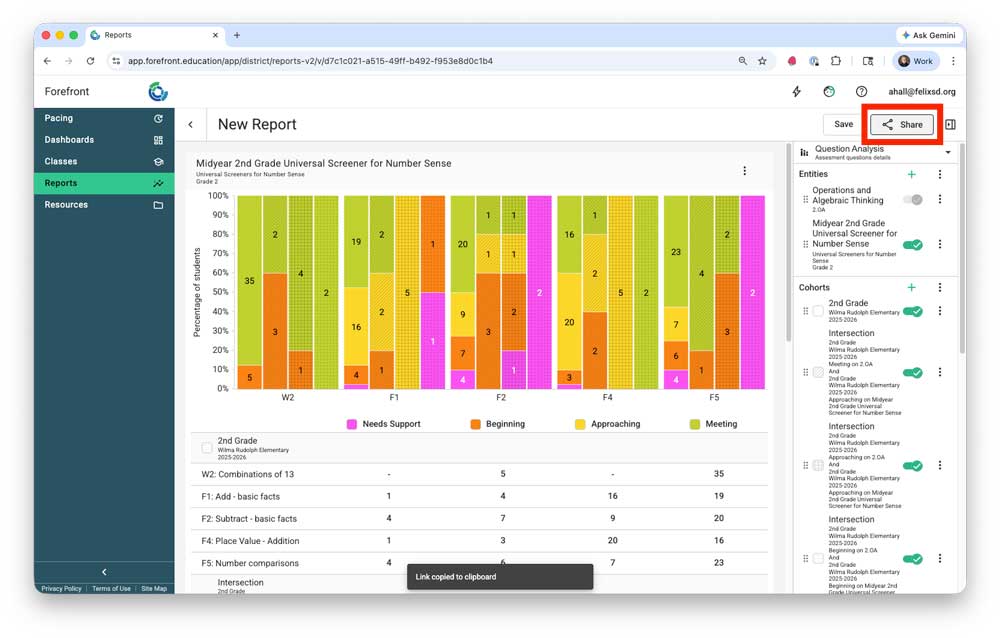
Step 1: Click “Share” in the upper right. This copies the link to the report to the clipboard – to share, paste the link where needed.
Further resources:
(Webinar) Introduction to Reports
(Webinar) Getting Deeper with Forefront Reports
(Help Docs) Ways to Dig Into Data
Need more support?
Submit a support request or email our team at support@forefront.education.